Converting a Custom GPT into a Remy App
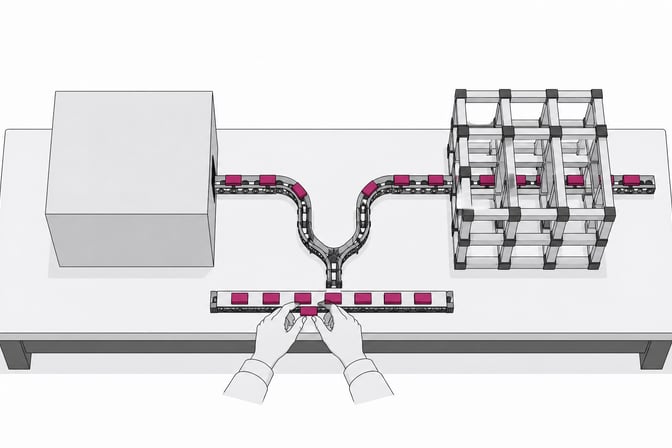
A Custom GPT cannot be converted into a Remy app by copying one prompt. The reliable approach is to extract the GPT’s behavior, knowledge, tools, security assumptions, and representative conversations; translate those assets into a product specification; and let Remy compile that specification into a full-stack application.

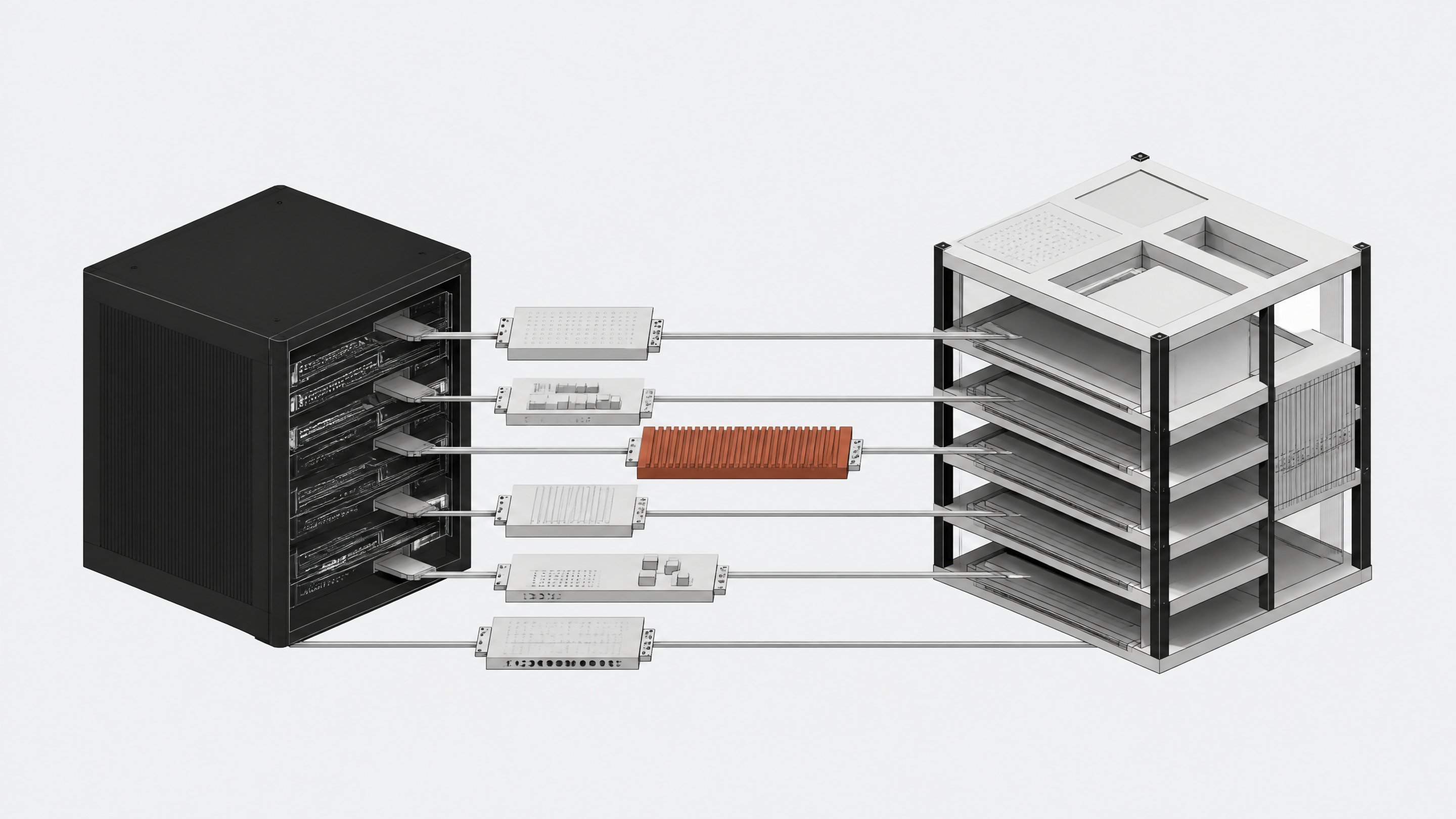
This is an architectural migration rather than a literal export/import. A Custom GPT packages instructions, uploaded knowledge, optional capabilities, and API Actions inside ChatGPT, while Remy builds a complete application contract consisting of methods, data schemas, interfaces, and access controls.
The recommended migration has four phases:
- Inventory the Custom GPT.
- Create a migration packet.
- Use Remy to design and build the equivalent app.
- Validate behavioral parity, then add app-native improvements.
What Gets Translated
| Custom GPT element | Remy equivalent | Migration treatment |
|---|---|---|
| Name and description | App name, overview, purpose, metadata | Copy, then rewrite as a product outcome rather than a chatbot description |
| Instructions | MSFM app specification, method rules, agent prompts, UI behavior | Decompose into explicit requirements, methods, rules, and acceptance tests |
| Conversation starters | Home-screen actions, suggested prompts, forms, templates, or workflow entry points | Preserve the user intents, but choose the best UI for each |
| Uploaded knowledge | Remy data source, app files, database seed data, or static reference content | Re-upload original source files; choose retrieval, structured storage, or both |
| GPT Actions | Backend methods and integrations | Convert each OpenAPI operation into a typed method with auth, validation, and error handling |
| Web browsing | Model tools or a dedicated research method | Define when search is allowed, what sources are acceptable, and how citations appear |
| Data analysis | Backend method, task agent, or browser-side analysis flow | Define accepted files, transformations, output schema, and retention policy |
| Image generation | Remy model call plus optional file store | Define model behavior, output dimensions, storage, ownership, and history |
| Chat context | Session state, database records, user-scoped memory, or no persistence | Make the retention and privacy rules explicit |
| Sharing controls | Remy authentication, roles, workspace access, and method-level authorization | Replace implicit ChatGPT sharing assumptions with explicit app permissions |
| Preview examples | Regression test suite | Save representative prompts and expected properties before migration |
OpenAI distinguishes instructions from knowledge: instructions define behavior, while uploaded files provide reference material. Actions connect the GPT to external APIs through an OpenAPI schema and an authentication configuration. Preserve that separation during migration; mixing rules into the knowledge corpus makes behavior harder to test and maintain.
Phase 1: Inventory
Step 1: Open the GPT editor
Open ChatGPT, select Explore GPTs, open My GPTs, select the GPT, and choose Edit GPT.
Record the currently published version before changing anything.
Do not begin the Remy build yet. First capture the complete source behavior of the GPT so the migration does not depend on memory.
Step 2: Capture identity
Copy these fields into a working document:
- GPT name.
- Description.
- Profile image or brand guidance.
- Intended audience.
- Primary outcome.
- Conversation starters.
- Current owner and business owner.
- Users or teams that depend on it.
Rewrite the primary outcome as one sentence:
This app helps [user] accomplish [outcome] by [workflow], using [knowledge/tools], while enforcing [important constraints].
This sentence becomes the top-level statement of intent in the Remy specification.
Step 3: Copy instructions verbatim
Save the entire instruction block without editing it. Store this as 01-original-instructions.md in the migration packet. Then create a second document, 02-behavior-breakdown.md, and classify every instruction under one of these headings:
- Persona and tone.
- Required workflow.
- Decision rules.
- Questions the assistant must ask.
- Information it must never assume.
- Output format.
- Tool-selection rules.
- Refusal and safety rules.
- Citation requirements.
- Error and recovery behavior.
- Data retention assumptions.
This decomposition matters because a chatbot instruction can hide several application responsibilities in one paragraph. In Remy, those responsibilities may belong in different places: UI validation, method logic, agent prompts, database constraints, or role checks.
Step 4: Inventory knowledge
List every uploaded knowledge file with:
- Original filename.
- File type.
- Purpose.
- Sensitivity classification.
- Expected update frequency.
- Whether users should see or download it.
- Whether answers must cite it.
- Whether the content is reference text or structured business data.
Download or locate the original source file for every item. OpenAI recommends clear, text-forward knowledge files and says workflow rules should stay in instructions rather than knowledge.
Choose a target for each file:
| Content type | Recommended Remy target |
|---|---|
| Manuals, policies, transcripts, handbooks | Searchable data source for retrieval-augmented generation |
| Customers, products, cases, tasks, approvals | Typed database tables |
| Templates users download | File store |
| Small stable lookup values | Spec, configuration, or database seed data |
| User-private uploads | User-scoped private file store and, if needed, a per-user data source |
Remy data sources support document ingestion and hybrid retrieval, and current platform tooling exposes data-source management in the app dashboard.
Step 5: Inventory capabilities
Record whether the GPT uses:
- Web search.
- Image generation.
- Data analysis or uploaded-file processing.
- Canvas or document generation.
- External Actions.
- User-specific account access.
For every enabled capability, collect three real examples:
- The user request.
- The desired tool behavior.
- The expected final result.
Do not merely note that a capability is enabled. Document the conditions under which the GPT should use it, because that routing logic must be recreated in the Remy app.
Step 6: Export every Action
For each GPT Action, save:
- OpenAPI JSON or YAML.
- Server URL.
- Every operationId.
- Endpoint descriptions.
- Required and optional parameters.
- Request and response examples.
- Authentication type.
- OAuth scopes, if applicable.
- Rate limits and timeouts.
- Confirmation requirements for destructive operations.
- Privacy policy URL and relevant data-handling rules.
GPT Actions are defined by an OpenAPI schema plus one of three authentication modes: none, API key, or OAuth. The schema tells ChatGPT which server and endpoints exist, the accepted parameters, and the operation identifiers.
Do not place secrets in the migration packet. Record secret names and where they are managed, but replace values with markers such as CRM_API_KEY or OAUTH_CLIENT_SECRET.
Step 7: Capture baseline conversations
Create at least one test for each important behavior. Include:
- Normal happy paths.
- Missing-information cases.
- Ambiguous requests.
- Requests that require knowledge retrieval.
- Requests that invoke each Action.
- Unauthorized or privacy-sensitive requests.
- Malformed inputs.
- Upstream API failures.
- Refusal cases.
- Long-running and multi-step requests.
Save the user message, relevant setup, tool call or expected method, and expected properties of the answer. Avoid requiring exact wording unless the wording itself is a business requirement.
A useful test-case format is:
id: create-client-brief-01
setup:
  user_role: account_manager
  records: []
input: |
  Create a client brief for Acme from these meeting notes...
expected:
  asks_for_missing_fields: false
  uses_knowledge: true
  invokes: createClientBrief
  stores_record: true
  output_contains:
    - objectives
    - risks
    - next_steps
  output_must_not_contain:
    - internal_system_prompt
Step 8: Decide the migration scope
Choose one of three targets:
| Best when | Result | |
|---|---|---|
| Faithful chat replacement | Users value the current conversational experience | Chat-first Remy app with equivalent knowledge and tools |
| RecommendedWorkflow applicationThe better target for most business GPTs | The GPT repeatedly gathers fields and performs predictable steps | Forms, saved records, status views, and chat only where useful |
| Operational system | The GPT supports a team process with approvals, history, and ownership | Multi-user app with roles, database, auditability, dashboards, and automation |
For most business GPTs, the workflow application is the better target. A repeated conversational sequence such as “collect six fields, generate a draft, request approval, and send it” should usually become a visible workflow rather than remain six chat turns.
Phase 2: Migration Packet
Step 9: Assemble the files
Create a folder with this structure:
custom-gpt-migration/
├── 00-readme.md
├── 01-original-instructions.md
├── 02-behavior-breakdown.md
├── 03-product-requirements.md
├── 04-knowledge-inventory.csv
├── 05-actions-inventory.md
├── 06-auth-and-security.md
├── 07-test-cases.yaml
├── 08-ui-notes.md
├── actions/
│   ├── crm-openapi.yaml
│   └── research-openapi.json
├── knowledge/
│   ├── handbook.pdf
│   └── product-guide.md
└── examples/
    ├── happy-path.md
    ├── edge-cases.md
    └── expected-outputs.md
Remy currently accepts an existing project as a zip, folder, or collection of documents, reviews it first, and can rebuild or rearchitect it as a Remy project rather than simply patching the old structure.
Step 10: Write product requirements
In 03-product-requirements.md, describe the app independently of ChatGPT. Include:
- Users and roles.
- Primary jobs to be done.
- End-to-end workflows.
- Data entities and relationships.
- Methods or actions.
- External integrations.
- AI behavior.
- Knowledge retrieval rules.
- Pages and navigation.
- Permissions.
- Notifications.
- Failure handling.
- Nonfunctional requirements.
- Acceptance criteria. Use business language first. Remy's source of truth is a human-readable MSFM specification from which methods, schemas, interfaces, and access controls are derived.
Step 11: Convert hidden state into data
List anything the Custom GPT implicitly "remembers" during a conversation and decide whether it becomes durable app data. Common examples include:
- User preferences.
- Drafts.
- Project status.
- Prior recommendations.
- Selected customer or account.
- Approval state.
- Generated files.
- Action results.
For each item, specify:
- Scope: request, session, user, team, or global.
- Storage location.
- Retention period.
- Who may read or change it.
- Whether it appears in the UI.
- Whether deletion is required.
This is one of the biggest architectural differences between a Custom GPT and an application. Treating all state as chat history produces a weak migration; modeling durable business state produces a useful app.
Step 12: Convert Actions into methods
Create one proposed Remy method per meaningful business operation, not necessarily one per HTTP endpoint. For example:
| Remy method | Added app responsibility | |
|---|---|---|
| searchCustomers | searchCustomers | Validate query, apply tenant scope, normalize results |
| createTicket | createSupportTicket | Require signed-in user, confirm inputs, save local reference |
| deleteRecord | archiveRecord | Prefer reversible business action, require elevated role |
| sendEmail | sendApprovedEmail | Require approval state, log delivery result |
| Two-step forecast lookup | getForecastForLocation | Hide API choreography behind one domain-level method |
For every method, specify:
- Purpose.
- Typed inputs.
- Validation rules.
- Authorized roles.
- Side effects.
- Integration calls.
- Database changes.
- Success result.
- Expected errors.
- Retry/idempotency behavior.
- Audit or activity-log requirement.
- Whether an AI agent may invoke it without human confirmation.
Remy's generated backend uses typed TypeScript methods with input validation; the same backend can be projected through web, REST, webhook, cron, MCP, and other interfaces.
Step 13: Define the agent contract
Turn the original instruction block into a narrower, testable contract for the in-app agent:
Agent purpose
Help account managers turn discovery notes into an approved client brief.
Required sequence
- Determine whether the active client is known.
- Extract facts only from the notes, client record, and approved knowledge source.
- Ask for any required field that cannot be inferred.
- Generate a structured draft.
- Save the draft through
saveClientBrief. - Never send or publish it until
approveClientBriefsucceeds.
Tool rules
- Use
searchKnowledgefor policy and product claims. - Use
getClientfor customer-specific facts. - Use
saveClientBriefonly after validation. - Do not call
sendClientBriefwithout explicit user confirmation.
Output
Return summary, objectives, stakeholders, risks, nextSteps, and sourceCitations.
The goal is to move deterministic rules out of the model prompt. Required fields belong in schemas, permissions in authorization, and irreversible safeguards in backend methods—not solely in prose instructions.
Step 14: Define acceptance criteria
Write acceptance criteria as observable outcomes:
- A signed-out visitor cannot read private records.
- An account manager can create and edit only records in the assigned workspace.
- A generated claim based on the knowledge source includes a source reference.
- A user cannot send a draft before approval.
- A failed CRM request leaves the local record retryable and displays a useful error.
- A page refresh preserves the current draft.
- Mobile layouts expose the complete primary workflow.
These criteria will guide both Remy's build and the parity test.
Phase 3: Build in Remy
Step 15: Start the project
Create a new Remy project. Attach the migration folder or zip to the initial conversation. Remy apps are git repositories, and the platform can also accept existing project materials for review and rearchitecture.
Use this initial request:
Convert the attached Custom GPT migration packet into a production Remy app.
Treat the original GPT as behavioral source material, not as the desired UI architecture. First review every file and produce a gap analysis. Do not build yet.
Then propose:
- users and roles;
- primary workflows;
- data model;
- backend methods;
- external integrations and authentication;
- knowledge/data-source strategy;
- AI agent behavior and tool permissions;
- pages and navigation;
- error, privacy, and audit behavior;
- acceptance tests mapped to the supplied regression cases.
Prefer deterministic application logic for validation, permissions, and irreversible actions. Use AI only where interpretation or generation is actually needed. Preserve behavioral parity first, then list optional product improvements separately.
Step 16: Review the gap analysis
Resolve every uncertainty before approving the build. Pay particular attention to:
- Missing original knowledge files.
- Actions with undocumented authentication.
- Instructions that conflict.
- Behavior that relies on ChatGPT-native browsing or analysis.
- Missing ownership and retention policies.
- Implicit admin privileges.
- Actions whose response format is inconsistent.
- Prompts that ask the model to enforce a rule the backend should enforce.
Ask Remy to mark each open question as blocking, safe default, or post-parity enhancement.
Step 17: Review the app specification
Remy operates spec-first: it drafts a plan, the user refines and approves it, and the system compiles the application from that plan. Verify that the spec explicitly covers the following sections before approving implementation.
Users and roles
Define anonymous visitors, authenticated users, operators, reviewers, and administrators as needed. Specify access at the method and record level rather than relying only on hidden buttons.
Data model
Confirm each entity, field, relationship, required value, status enum, ownership rule, timestamps, and deletion behavior. Decide whether deletions are hard deletes, soft deletes, or archival transitions.
Methods
Ensure every state-changing operation is represented as a named domain method. Avoid vague requirements such as “the agent manages tickets”; specify createTicket, assignTicket, requestMoreInformation, resolveTicket, and reopenTicket if those are the real operations.
AI behavior
Specify the model’s inputs, permitted context, callable methods, structured output, fallback behavior, and storage rules. Remy apps call models through a unified platform interface without embedding provider credentials in the app.
Knowledge
Define ingestion, metadata, retrieval mode, citation format, update process, and permission boundaries. Do not load private documents into a globally accessible corpus.
Interfaces
Choose the projections users actually need: web app, API, webhook, scheduled job, MCP, email, or voice. Remy can expose the same application contract through multiple interfaces.
UI
Decide which intents remain conversational and which become buttons, forms, tables, filters, status views, or approval screens. Preserve conversation starters as visible quick actions where they remain useful.
Step 18: Approve the parity build
Ask Remy to build only the parity scope first. Defer enhancements such as analytics dashboards, bulk actions, scheduled digests, and additional integrations unless they are required for baseline equivalence.
This separation makes failures diagnosable. If parity and redesign happen simultaneously, it becomes difficult to tell whether a behavior was lost or intentionally changed.
Step 19: Configure knowledge
Create the required data source or file store, upload the original knowledge files, and wait for ingestion to complete. Then test retrieval directly with known terms, paraphrases, filenames, and negative queries.
Verify:
- Expected documents are indexed.
- Irrelevant documents do not dominate results.
- Metadata and user/tenant filters work.
- Citations point to the intended source.
- Scanned or image-based files extract correctly.
- Replacing a document does not leave stale answers.
Current Remy data sources support keyword, semantic, and hybrid search, reranking, metadata and filename filters, page-range and phrase filters, and highlighted matches.
Step 20: Configure integrations
For each former GPT Action:
- Add the external connection or secret to the Remy environment.
- Implement or verify the corresponding backend method.
- Validate inputs before sending requests.
- Apply the signed-in user and tenant scope.
- Normalize the external API response.
- Convert upstream errors into safe, actionable app errors.
- Add confirmation for destructive or externally visible operations.
- Add idempotency protection where retries could duplicate work.
- Log the operation without exposing credentials or sensitive payloads.
- Test success, authorization failure, rate limit, timeout, and malformed response cases.
If the Custom GPT used OAuth, do not copy ChatGPT's callback URL into the Remy app.
Register the callback and credentials required by the Remy integration flow. ChatGPT's OAuth callback is specific to the GPT Action configuration.
Step 21: Configure authentication
Specify:
- Whether sign-in is required.
- Allowed signup domains or users.
- User roles.
- Default role.
- Workspace or tenant boundaries.
- Admin capabilities.
- Method-level authorization.
- Record ownership.
- Test accounts.
- Session and offboarding expectations.
Remy's application stack includes managed authentication and role-based access, while its broader platform supports managed identity and SSO options. Test authorization by calling protected methods directly; hiding a UI control is not an access-control test.
Step 22: Configure model calls
Choose models based on each task rather than blindly reproducing the Custom GPT's selected model. Define separate calls when the app has distinct jobs such as classification, extraction, long-form generation, vision, or multi-step tool use.
For every call, specify:
- System behavior.
- Input composition.
- Knowledge context.
- Available tools.
- Structured output schema.
- Temperature or reasoning expectations if relevant.
- Maximum acceptable latency and cost.
- Failure and retry behavior.
- Whether the result is stored.
Remy exposes multiple providers through one platform capability, so the app does not need provider keys or vendor SDKs for ordinary model calls.
Step 23: Inspect the generated app
Review both the specification and implementation. Remy projects keep authored source in src/ and generated output in dist/; the generated output includes TypeScript methods, frontend code, table definitions, and interface configuration.
Check:
- Every business rule in the spec appears in an enforceable layer.
- No secret is embedded in browser code.
- Methods validate untrusted inputs.
- Database changes match the proposed schema.
- Authorization is enforced server-side.
- AI outputs are validated before side effects.
- Generated files use the intended public or private storage.
- Error messages do not leak internal payloads.
- The app remains usable without knowing the old GPT's prompting conventions.
Step 24: Test in live preview
Remy provides a live environment that reloads as code or the specification changes. Run the supplied baseline cases through the actual UI and also test each backend method independently where possible.
For every failure, classify it as:
- Specification gap.
- Retrieval problem.
- Prompt/agent problem.
- Method logic problem.
- Integration problem.
- Permissions problem.
- UI problem.
- Test expectation that should change.
Fix the specification or owning layer, not just the visible symptom.
Phase 4: Validate and Publish
Step 25: Run a parity matrix
Use a table like this during acceptance:
| Custom GPT baseline | Remy result | Status | Required fix | |
|---|---|---|---|---|
| Normal advisory response | Required sections present | Required sections present | Pass | — |
| Missing account name | Asks a question | Assumes a value | Fail | Add required-field gate |
| Policy question | Uses handbook | Uses handbook with citation | Pass / improved | — |
| Create ticket | Calls Action once | Creates two tickets on retry | Fail | Add idempotency key |
| Unauthorized record | Not testable in GPT | Method denies access | Pass / improved | — |
Judge semantic and operational equivalence rather than exact prose. The Remy version may legitimately produce a different sentence while satisfying the same workflow, source, safety, and output requirements.
Step 26: Test security boundaries
At minimum, test:
- Anonymous access to protected pages and methods.
- One user attempting to access another user's record.
- Standard users attempting admin methods.
- Prompt injection in uploaded knowledge.
- Prompt injection in user input.
- Tool requests with missing confirmation.
- Direct method calls with altered IDs.
- Oversized and unsupported uploads.
- Secrets appearing in browser responses or logs.
- Deleted or disabled users retaining access.
Custom GPT instructions may discourage unsafe behavior, but a full application must enforce critical boundaries in code, schemas, and authorization.
Step 27: Test operational behavior
Verify:
- Loading, empty, success, and error states.
- Refresh and back-button behavior.
- Duplicate submissions.
- Retry after upstream failure.
- Mobile layout.
- Keyboard navigation.
- Long content and unusual filenames.
- Knowledge replacement and re-indexing.
- Database migration on a non-production copy.
- Email, webhook, or other external side effects in a safe test environment.
Step 28: Publish a preview
Publish a branch preview and share it with a small group of current GPT users. Remy supports branch-specific preview builds with shareable, revocable access links, allowing stakeholder review before production release.
Ask testers to complete real jobs without telling them how the new UI maps to the old GPT. Observe where they search for chat when the workflow should be obvious, and where a structured form feels too rigid for genuinely ambiguous work.
Step 29: Publish production
Before production release:
- Confirm production secrets and OAuth redirects.
- Confirm allowed users and domains.
- Verify the production knowledge corpus.
- Seed only approved data.
- Run the complete regression suite.
- Verify destructive-action confirmations.
- Confirm monitoring and ownership.
- Document rollback and incident contacts.
- Preserve the old GPT during a defined parallel-run period.
Remy deployment is git-native; its generated stack includes backend, database, authentication, frontend, interfaces, and deployment artifacts.
Step 30: Retire or reposition the GPT
After the parallel run:
- Freeze edits to the old GPT.
- Add a message directing users to the Remy app, if appropriate.
- Retain the original configuration and migration packet in version control.
- Remove or rotate credentials used only by GPT Actions.
- Archive obsolete uploaded knowledge.
- Record the Remy app owner and review schedule.
- Decide whether the GPT remains a lightweight discovery channel or is fully retired.
Remy's own guidance recommends treating valuable Custom GPTs as business software: inventory them, assign ownership, version them, classify risk, and create a path into centrally maintained team assets.
Recommended Build Sequence
Use this order to reduce rework:
- Product intent and users.
- Roles and access boundaries.
- Data model.
- Domain methods.
- Integration contracts.
- Knowledge/data-source design.
- AI agent and prompts.
- Web interface.
- Secondary interfaces such as API, MCP, cron, webhook, email, or voice.
- Regression and security tests.
- Preview deployment.
- Production migration.
Building the chat interface before methods, data, and permissions tends to recreate the Custom GPT's weaknesses. Building the application contract first allows chat to become one interface onto reliable business logic.
Copy-Paste Remy Prompt
Build a Remy app from the attached Custom GPT migration packet.
Goal
Recreate the Custom GPT's useful behavior as an owned, multi-user application. Achieve behavioral parity before adding enhancements. Do not treat the original chat interface as a mandatory UX pattern.
Process
- Review every attached file before changing or generating the app.
- Produce a gap analysis and list unresolved questions as blocking, safe-default, or post-parity.
- Draft the app specification, including users, roles, workflows, entities, methods, integrations, knowledge strategy, AI behavior, interfaces, pages, errors, and acceptance tests.
- Map every original GPT instruction to an enforceable layer: UI, schema, method, authorization rule, agent instruction, or test.
- Map every GPT Action operation to a typed domain method. Keep external API details behind methods.
- Move deterministic validation, permissions, and irreversible safeguards out of prompts and into backend logic.
- Use a searchable data source for reference documents and typed database tables for operational records.
- Preserve source citations where the original workflow depends on supplied knowledge.
- Require explicit confirmation before destructive or externally visible actions.
- Build only after I approve the specification.
Required deliverables
- Traceability matrix from Custom GPT components to Remy components.
- Complete MSFM specification.
- Typed data model.
- Method catalog with permissions and errors.
- Knowledge ingestion and retrieval plan.
- Integration and secret inventory without secret values.
- Responsive web interface.
- Regression tests based on the supplied examples.
- Security and authorization test plan.
- Preview deployment for review.
Definition of done
The app passes the supplied behavioral tests, enforces access server-side, survives refreshes and retries, handles integration failures safely, cites approved knowledge where required, and is usable without knowing the original GPT prompt conventions.
Traceability Checklist
Before declaring the migration complete, confirm that every source artifact has a destination:
- Name and description mapped to app identity.
- Every instruction mapped to a spec requirement or agent rule.
- Every deterministic rule enforced outside the prompt where possible.
- Every conversation starter mapped to a visible entry point.
- Every knowledge file uploaded, indexed, scoped, and tested.
- Every Action mapped to a typed method.
- Every Action authentication mode reconfigured securely.
- Every important conversation represented in the regression suite.
- Session-only and durable state explicitly separated.
- Users, roles, tenants, and ownership defined.
- Destructive and externally visible actions require appropriate confirmation.
- Error, empty, loading, and retry states implemented.
- Mobile and accessibility behavior checked.
- Preview reviewed by current users.
- Production secrets, data, and domains verified.
- Old GPT retirement or redirect plan documented.
Common Failure Modes
Copying the prompt unchanged
A long instruction block is not an app architecture. Split it into business rules, methods, prompts, UI requirements, permissions, and tests.
Treating knowledge as one global folder
Some files may be public reference material, others may be user-private or tenant-specific. Define scope before ingestion.
Reproducing every API endpoint
Expose domain methods that match user intent. A method may orchestrate several API calls or deliberately hide low-level operations.
Keeping approvals in the prompt
“Always ask before sending” is not enough. Enforce approval state inside the sending method.
Assuming chat history is a database
Model projects, drafts, approvals, owners, and statuses as durable records when the workflow depends on them.
Redesigning before parity
Build a measurable baseline first. Add dashboards, automation, alternate interfaces, and broader workflows after the parity suite passes.
Testing only the visible UI
Test backend methods, authorization, integration failures, duplicate requests, and direct object access in addition to the conversational experience.
Practical Outcome
The strongest migration is not a pixel-for-pixel clone of ChatGPT. It preserves the Custom GPT’s validated expertise and tool behavior while upgrading implicit chat conventions into explicit application structure: typed methods, durable data, scoped knowledge, server-enforced access, testable workflows, and interfaces designed around the actual job.